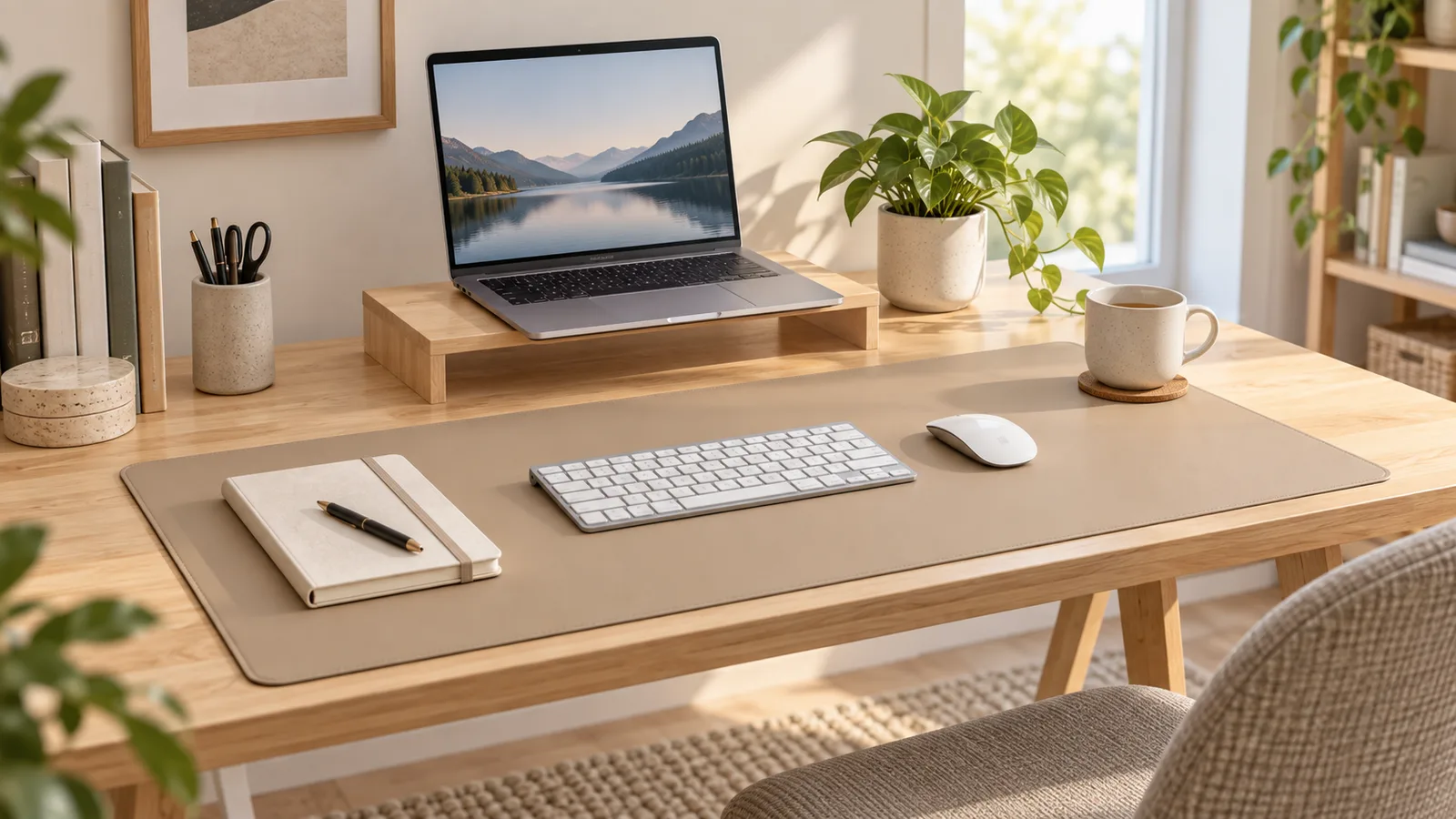
A desk mat should make your work area easier to use, not simply fill the available surface. The right size gives your keyboard and mouse a stable shared area, protects the section of the desk you touch most and still leaves room for notebooks, speakers or a drink.
This desk mat size guide shows you how to measure your setup, compare common layouts and choose a material without relying on a one-size-fits-all recommendation.
Quick answer: how large should a desk mat be?
Choose a mat that is wider than your keyboard plus the mouse movement you actually use. It should be shallow enough to avoid the monitor stand, cable holes and the front edge of the desk. For many compact setups, a medium mat covering the keyboard-and-mouse zone is enough. Wider desks, full-size keyboards and low-sensitivity mouse settings usually need more horizontal room.
The product dimensions matter more than labels such as small, large or extended. Those names are not standardized, so compare the listed width and depth with your own measurements.
Measure your desk before shopping
1. Find the usable width
Measure the flat area between anything that cannot move: drawer units, speaker stands, monitor arms, shelving supports or raised desk edges. Do not assume the full desktop width is available.
2. Measure the usable depth
Measure from the front edge to the nearest obstruction, such as a monitor base or cable grommet. Leave a small margin at the front so the mat does not curl over the edge.
3. Map the keyboard and mouse zone
Place your keyboard where you normally type. Move the mouse through your comfortable working or gaming range, then measure the combined area. Include a number pad if you use a full-size keyboard.
4. Check the desk's edge shape
A rounded or beveled front edge reduces the stable area. A mat that technically fits the maximum depth may still sit poorly if part of it rests on a curve.
5. Note items that sit on the mat
Decide whether the mat will hold only the keyboard and mouse or also a laptop, notebook, charging dock or wrist rest. More objects require more width, but covering the whole desk can make cables and accessories harder to reposition.
Common desk mat layouts
Compact keyboard-and-mouse mat
This layout suits a smaller desk, a laptop workstation or a setup that needs space for handwriting. The mat sits directly in front of the display and keeps the main input devices together without covering the entire surface.
Extended desk mat
An extended mat creates a wider continuous area for a keyboard and mouse. It can help visually organize a desktop and provides more lateral mouse travel. Check that its depth does not collide with a monitor stand.
Full-surface desk pad
A large pad can protect most of the work surface and create a consistent visual base. It works best on a clear rectangular desk. Measure carefully around desk-mounted arms, charging cables and accessories because a full-surface mat is less forgiving.
How keyboard size changes the fit
A full-size keyboard uses more horizontal space than a tenkeyless or compact model. If you keep the number pad but want generous mouse room, plan for a wider mat. Compact keyboards can free enough space for a notebook or allow the same mouse range on a smaller desk.
Also consider where the keyboard sits relative to your body. A mat should not force the keyboard far to one side merely to create mouse room.
How much mouse space do you need?
Office users who make small wrist movements may need less mouse area than a gamer using low sensitivity and broad arm movements. Test this before measuring: place a sheet of paper beside the keyboard, use the mouse normally for a few minutes and note the outermost positions.
Leave a little extra space beyond that range. A cramped mat can make the pointer movement feel restrictive, while a very large mat may occupy space that would be more useful for writing or storage.
Felt, vegan leather or cork-backed mat?
Felt
Felt offers a soft, warm surface and a quieter place for accessories. It can suit a cozy workspace, but the texture may feel slower under some mouse feet and can hold dust or crumbs. Check the care instructions before cleaning it.
Vegan leather
A vegan-leather surface is usually easier to wipe than fabric and creates a more structured visual edge. The exact feel, grip and care requirements depend on the finish, so follow the current product instructions.
Cork backing
Cork-backed designs add a natural layer beneath the working surface and may help the mat stay in place. Confirm which side is intended to face up and whether the backing is compatible with the finish on your desk.
Nordik By Design currently lists vegan-leather, felt and cork-backed options in its desk-mat collection. Product dimensions, colors and stock can change, so use the current listing as the source of truth.
Desk mat sizing by workspace
| Workspace | Practical starting point | Main measurement |
|---|---|---|
| Small laptop desk | Compact keyboard-and-mouse zone | Depth between front edge and laptop stand |
| Standard home office | Medium or extended mat | Keyboard width plus normal mouse travel |
| Full-size keyboard setup | Wider extended mat | Number pad plus mouse clearance |
| Dual-monitor desk | Extended or full-surface pad | Monitor stands and cable routing |
| Writing and computer desk | Medium mat with a clear side area | Room reserved for paper and notebook use |
Five fit mistakes to avoid
- Buying by size name alone. Compare exact dimensions because “large” varies by product.
- Ignoring the monitor base. A deep mat can bunch against a stand or lift at the back.
- Measuring the empty desk. Measure with your usual equipment in place.
- Forgetting mouse movement. The mouse needs usable travel, not just a resting spot.
- Covering cable access. Keep grommets, charging ports and clamp points reachable.
How to test a size before ordering
Use painter's tape or sheets of paper to mark the proposed width and depth on your desk. Set the keyboard, mouse and other daily items inside the outline. Work normally for a short session and check whether your wrists, mouse movement or writing space feel restricted.
This simple mock-up can reveal problems that measurements alone miss, especially on corner desks or surfaces with monitor stands.
Where to compare Nordik By Design desk mats
For a closer look at construction and everyday use, read our Nordik By Design desk mat review. When you are ready to compare the current materials, sizes and colors, use the merchant link below.
Compare current Nordik By Design desk mats →
Affiliate disclosure: StackTheCoupons may earn a commission if you purchase through this link, at no additional cost to you. Product options and promotional terms can change. Confirm the selected size, material, shipping and final checkout total before paying.
Frequently asked questions
Should a desk mat go under the monitor?
It can, but it does not have to. A mat that stops in front of the monitor base is easier to move and clean. A larger mat can create a unified look if the stand sits flat and does not cause bunching.
Should a desk mat cover the whole desk?
Only if that layout fits your equipment and cable access. Many people need protection mainly under the keyboard, mouse and wrists, leaving other areas clear.
How much wider than the keyboard should the mat be?
Add the mouse travel you use plus a small buffer. There is no universal number because keyboard width and pointer sensitivity differ.
Is felt or vegan leather better for a desk mat?
Felt feels softer and warmer, while vegan leather is generally easier to wipe. Choose based on mouse feel, cleaning preferences and the look of your workspace.
Can I put a laptop directly on a desk mat?
Usually, but keep the laptop's ventilation openings clear and follow the device maker's guidance. A stand may improve airflow and free usable mat space.
Final measurement checklist
- Measure the usable desk width and depth.
- Place the keyboard in its normal position.
- Measure real mouse movement.
- Mark monitor stands, grommets and clamp points.
- Decide which accessories belong on the mat.
- Compare exact product dimensions, material and care guidance.