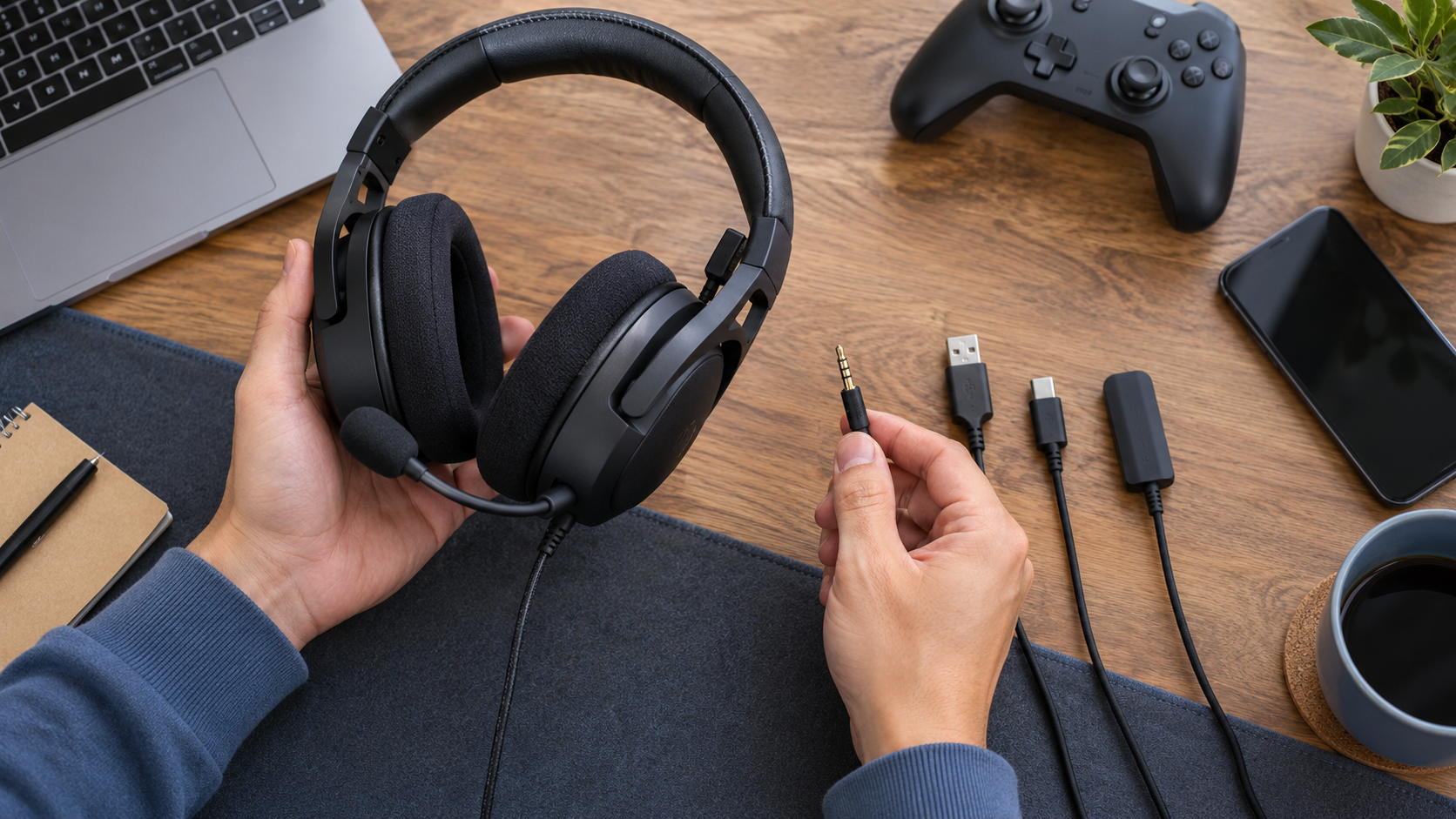
Compare the exact device, connector and microphone path before choosing a headset.
An EKSA headset can list several devices on its product page while supporting different features on each one. Audio output, voice chat, virtual surround software and onboard controls do not always travel through the same connection. A headset that works by 3.5 mm on an Xbox controller may use a USB dongle on a PC, while Bluetooth may be limited on PlayStation or disable the microphone on another device.
This guide helps adults narrow the choice by the device and connection they will actually use. It does not rank sound quality or assume that one model's compatibility applies to the rest of the catalog.
Affiliate disclosure: StackTheCoupons may earn a commission if you follow the merchant link and make a qualifying purchase. This does not change the price you pay. Compatibility, stock, prices, shipping and return terms are controlled by the merchant and can change.
1. Start with the device and its available port
Write down the exact device before comparing headset features. “Xbox,” “PlayStation” and “PC” are not precise enough because controller generations, ports and operating systems differ.
For a console, note the model and whether the headset will connect to the console, a controller, a television or a USB adapter. For a computer, record the operating system and whether you have USB-A, USB-C, a combined 3.5 mm headset jack or separate headphone and microphone sockets. For a phone or tablet, check whether it has a 3.5 mm jack or needs a supported digital adapter.
This first step matters because an interface can change what works. EKSA's current E900 Pro page, for example, says the headset is not compatible with Xbox 360 and that an older Xbox One controller may require a Microsoft adapter that is not included. That is a model-specific limitation, not a rule for every EKSA headset.
2. Match the connection mode, not just the platform name
Gaming headsets may use one or more of these paths:
3.5 mm analog: often the simplest route through a controller, laptop or mobile device, but some devices need an adapter or a correctly wired combined audio-and-mic jack.
USB cable: can carry audio, microphone data, power and sometimes software features, but only on supported systems.
2.4 GHz or another proprietary dongle: intended for low-latency wireless use, with support determined by the exact dongle and host device.
Bluetooth: useful for phones and computers, but console Bluetooth support and voice-chat behavior can be restricted.
Do not treat those modes as interchangeable. The official E900WT page says its 2.4 GHz and Bluetooth modes do not support Xbox, its microphone does not work on Switch, and Bluetooth mode does not support PS4 or PS5. The G19 BT page uses a different compatibility matrix: it says Bluetooth is not compatible with PS4 or PS5, while only the 3.5 mm wired mode supports Xbox Series X/S and Xbox One.
Before buying, locate the exact product-page compatibility note and the manual for the model and revision shown in the cart. If a bundle includes multiple cables, identify which cable delivers the feature you want.
3. Verify microphone and chat support separately
Hearing game audio does not prove that the microphone or voice chat will work. Check four details:
Does the chosen connection carry both audio and microphone signals?
Does the console or application allow voice chat through that path?
Do the mute and volume controls work in the selected mode?
Is an additional splitter or controller adapter required?
The separate check is especially important for Switch and console Bluetooth paths, where a product page may support audio but identify a microphone restriction. If the merchant page is ambiguous, use the model manual or ask EKSA support with the exact device, connection and intended chat application. Avoid relying on a marketplace title or a compatibility icon without reading the detailed note.
4. Check whether a Windows driver is part of the feature
Some EKSA models provide built-in audio processing, while others use downloadable software for virtual 7.1 sound or equalizer controls. The official download page says EKSA's 7.1 drivers work only on Windows, not macOS, although a headset's built-in sound can still work on a Mac. It also says that several older drivers do not support Windows 8.
That means “Mac compatible” and “all software features work on Mac” are different claims. The same distinction applies to a console: basic headset audio may work while desktop EQ software does not.
Before choosing a software-dependent feature:
find the exact model and revision on EKSA's download page;
check the listed operating-system versions;
confirm whether the feature is built into the headset or requires the driver;
read the installation guide and manual; and
decide whether basic audio is acceptable if the software is unavailable on the target system.
Use only the official download page for model software. A search result that offers a similarly named driver from another site is not a substitute for the merchant's file and instructions.
5. Compare practical fit after compatibility passes
Once the connection and microphone path are clear, compare the practical details on the exact listing: wired or wireless operation, cable length, included adapters, battery and charging information, control placement, weight and replaceable parts. Treat battery-life, microphone and latency numbers as model-specific merchant claims rather than guaranteed results in every room, device or application.
For wireless use, consider where the dongle will sit, whether the host has the required port and whether another adapter could obstruct nearby ports. For long sessions, the published weight and ear-cushion design are useful starting points, but comfort depends on the individual and cannot be established from a specification alone.
You can browse the site's canonical store directory when checking whether a merchant record already exists. If a code appears on another page, review how to spot unsupported coupon and deal claims before treating it as valid.
6. Review shipping and returns before checkout
EKSA's current shipping policy describes free shipping above a stated threshold for many destinations, but it also lists excluded locations, different fees for some countries, warehouse-dependent dispatch times and non-guaranteed delivery estimates. It warns that customs duties or local taxes can apply outside the United States or Europe. Confirm the destination, shipping charge, currency and final total in checkout rather than assuming a headline applies everywhere.
The current return page says manufacturing-defect return requests must be made within 14 days after delivery. It requires prior customer-service approval, proof of purchase, unused condition and original packaging. It also says consumer-caused returns generally leave the return shipping cost with the buyer. Read the version that applies to the exact order and contact support before sending anything back; the page says unapproved returns are not accepted.
Do not confuse the merchant's advertised 24-month warranty with an unrestricted 24-month return window. The same return page describes limits on replacement and return handling within the warranty period.
Final pre-purchase checklist
Before placing an order, confirm:
the exact console, computer, phone or tablet model;
the port and connection mode you will use;
audio and microphone support through that specific mode;
any required adapter and whether it is included;
operating-system support for optional drivers or EQ controls;
the exact manual and product revision;
current stock, price, currency, shipping and import costs; and
the return-approval process for your destination and item.
When those answers are clear, visit EKSA to review the current model pages and manuals. This is the exact affiliate destination supplied to StackTheCoupons. It does not verify the separate partner-account URL or the unconfirmed code in the source data, so neither is presented as a public offer.