Buying a bag for a laptop or short trip sounds simple until the same “13-inch” label appears on devices with different bodies, or a compact sling runs out of room as soon as a charger and bottle are added. This guide solves that fit problem before checkout. It shows how to compare tomtoc sleeves, shoulder bags, slings and travel backpacks by the device you own, the items you carry and the journey you make—not by a category name alone.
Affiliate disclosure: StackTheCoupons may earn a commission if you purchase through links on this page, at no extra cost to you.

Compare the device fit, daily load and travel requirements before choosing a bag type.
Quick answer: choose by the load, then verify the fit
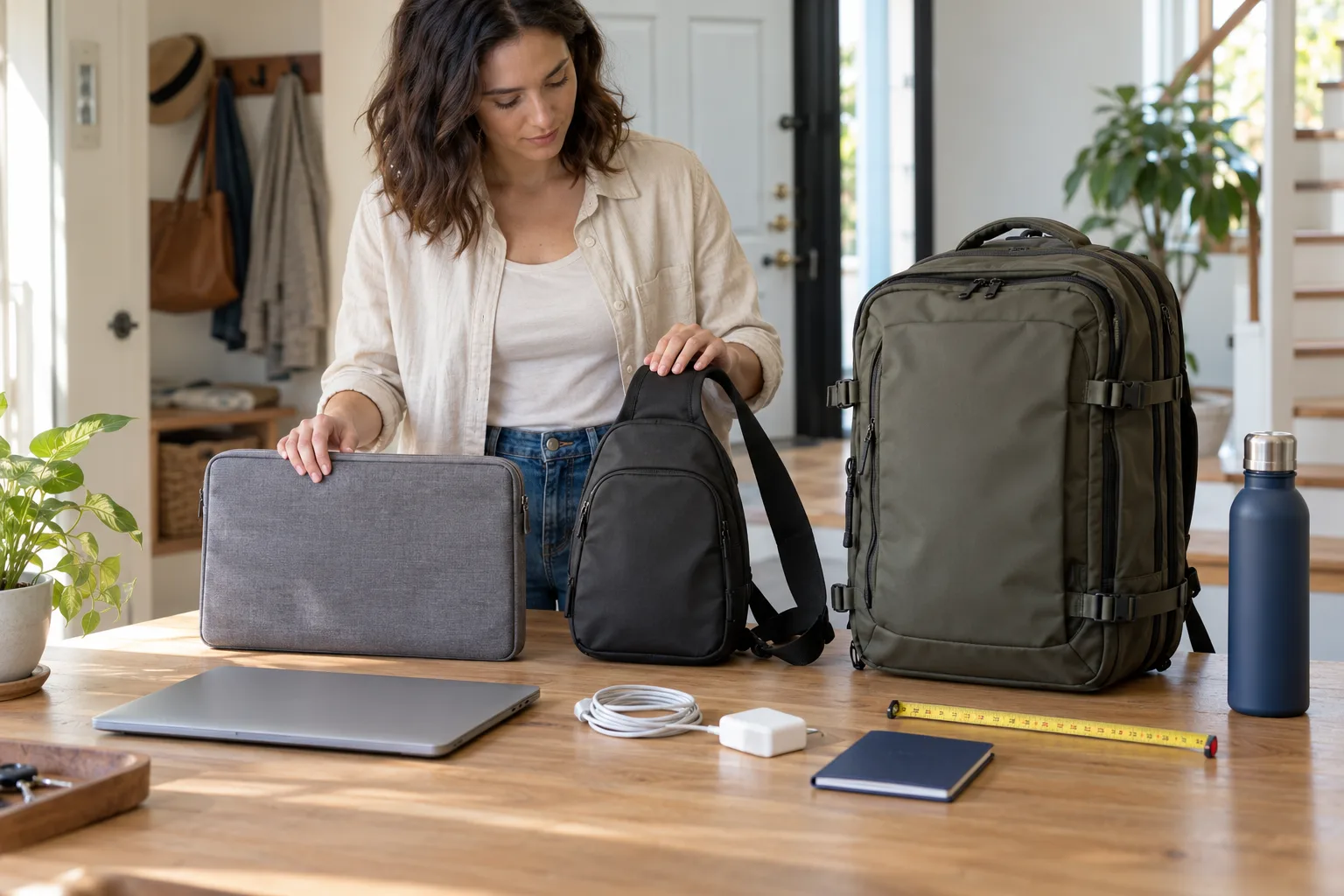
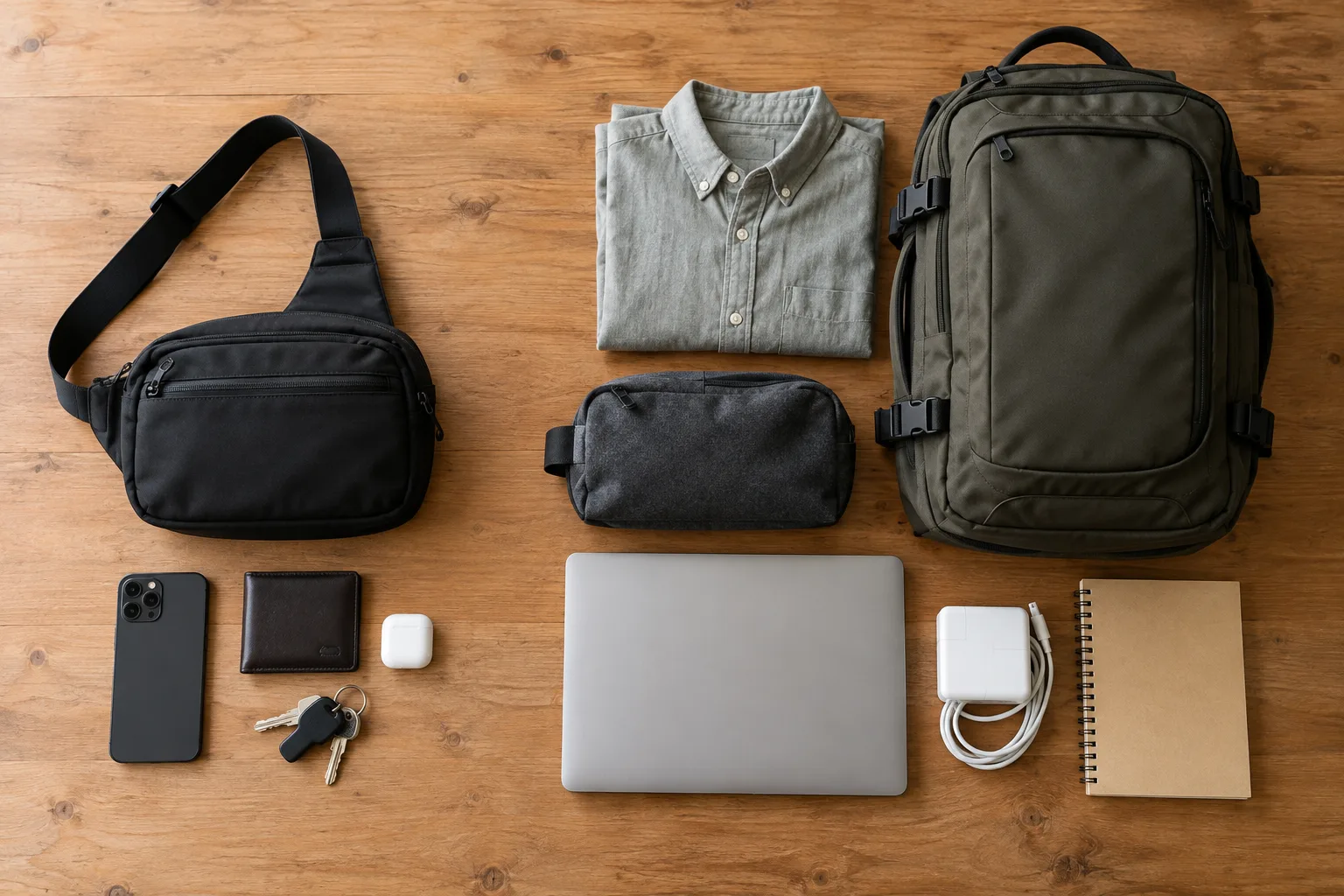
Start by putting everything you expect to carry on a table. A laptop and one cable may call for a fitted sleeve. A laptop plus charger, mouse and notebook may be easier in a shoulder bag. A small sling suits essentials that do not include a full-size laptop, while a travel backpack makes more sense when clothing, toiletries or several devices join the load.
After choosing the format, verify the exact variant. tomtoc product pages for fitted laptop bags publish internal and external dimensions and list compatible device models. Use those measurements and model details instead of assuming a screen-size label guarantees fit.
1. Measure your laptop before shopping
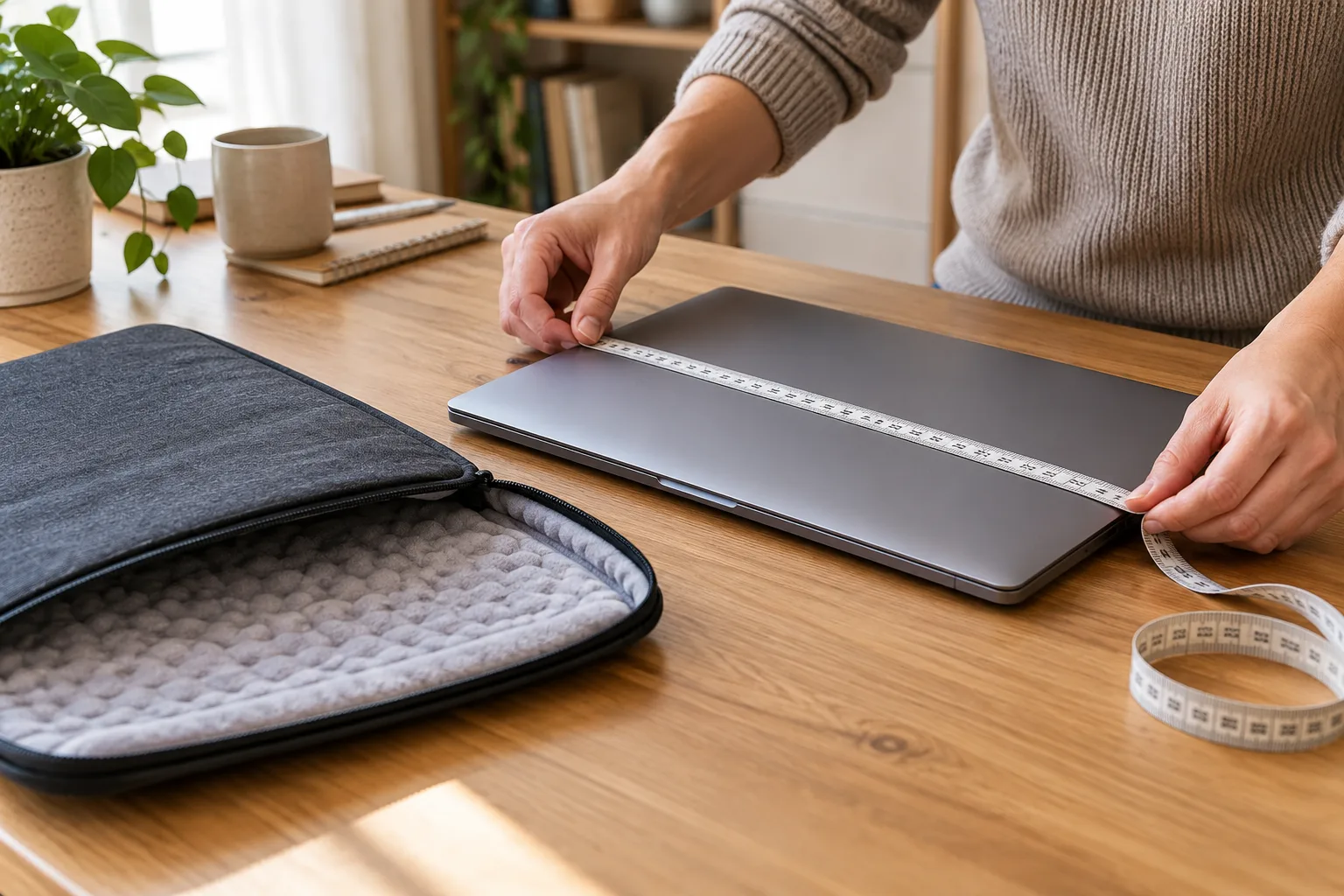
Laptop sizes refer to the diagonal screen, not the complete body. Bezels, hinges, feet and case design can make two devices with the same advertised screen size different in width, depth or thickness.
Measure the closed laptop at its widest, deepest and thickest points. If you use a hard shell, skin with raised edges or another attached accessory, measure the device in the condition in which it will enter the bag. Compare those figures with the internal dimensions on the exact product page. Do not compare the laptop with a bag’s external dimensions; padding, seams and pocket structure occupy some of that space.
A very tight fit can make zippers harder to close and leaves no tolerance for an attached shell. Too much spare room can allow the device to shift. The useful target is a secure fit with enough clearance for normal loading and closure, following the merchant’s compatibility information for the exact variant.
2. Sleeve, shoulder bag, sling or backpack?
Laptop sleeve: protection inside another bag
A sleeve is the simplest option when the laptop is the main item or when you already own a larger tote or backpack. Check whether the chosen sleeve has an accessory pocket and whether that pocket can hold your charger without pressing a hard plug against the computer. A slim sleeve may fit the device neatly while leaving limited space for anything else.
Choose a sleeve when you value a compact profile and expect to carry it by hand or place it inside another bag. If you need a shoulder strap, water bottle, lunch or several tech accessories, a different format may be more practical.
Laptop shoulder bag: a self-contained work load
A shoulder bag or briefcase adds handles, a strap and more organization. It can suit a commute with a laptop, charger, mouse, documents and a small notebook. Look beyond the laptop compartment: compare the usable pocket shapes with the objects you actually own, and check whether the strap is removable or adjustable if that matters to you.
Avoid treating every empty pocket as free capacity. Bulky chargers and adapters can consume space in the main compartment or create pressure points against the laptop. Pack the heaviest realistic workday load when deciding whether a shoulder bag is still comfortable.
Sling or crossbody bag: quick access for smaller essentials
The current tomtoc travel collection includes small slings and chest bags as well as larger carry formats. A sling is useful when the load is a phone, wallet, keys, earbuds, compact camera or handheld device. Capacity labels help establish scale, but pocket dimensions and opening shape determine whether a specific object will fit.
Do not infer laptop compatibility from a product photo. Unless the exact product page gives suitable dimensions and names your device, assume a compact sling is for smaller essentials. Also check which shoulder orientation and strap range the design supports.
Travel backpack: clothing plus technology
Travel backpacks become relevant when the load expands beyond everyday essentials. tomtoc’s travel collection currently spans multiple capacity bands, including larger 31–40L products. Liters are useful for broad comparison, but they do not reveal every detail: a structured laptop compartment, curved corners, compression straps and organizer panels all affect usable space.
For a short trip, list the packed laptop, electronics, clothing layers, toiletries and documents. Decide whether you need frequent laptop access during transit or prefer the computer deeper inside the bag. If the backpack may fly with you, compare its current external dimensions with the specific airline’s personal-item or carry-on allowance. A travel-oriented name does not mean every airline will accept every packed configuration.
3. Match the bag to the journey
Daily commute
Prioritize device fit, comfortable loaded weight and access to the items used during the day. Test whether the laptop can be removed without unloading the whole bag. Think about where a bottle or umbrella would go and whether it could contact electronics.
Café or coworking visit
A sleeve or shoulder bag may be enough for a laptop, charger and small peripherals. Count the cables and adapters you really use. A pocket that looks generous in a photo may become crowded once a power brick is added.
Flight or rail trip
Check external dimensions, packed depth and current carrier limits. Keep identification, charging gear and travel documents reachable without exposing the main compartment. If the bag has a luggage pass-through, confirm it fits the handle width of your own suitcase rather than assuming a universal fit.
One-bag weekend
Larger travel backpacks can combine a laptop with clothing and toiletries, but capacity planning matters. Use a practice pack at home with similarly sized items. Leave room for anything acquired during the trip, and make sure heavy objects do not press directly against the device compartment.
4. Read the exact product page, not just the collection card
The collection page helps narrow the format, while the product page should settle the decision. Confirm all of the following for the selected color and size:
- internal laptop-compartment dimensions;
- external bag dimensions;
- named device compatibility;
- capacity, where the merchant provides it;
- pocket arrangement and opening direction;
- handle and strap configuration;
- included pieces and any separately sold accessories;
- care instructions;
- current availability and final checkout total.
Materials and feature sets can vary across product families and variants. Do not carry a claim from one tomtoc model to another. In particular, do not assume a bag is waterproof, drop-proof or suitable for a particular airline unless the exact current page and relevant carrier information support that conclusion.
5. Shipping, returns and warranty limitations
tomtoc’s current shipping information says direct orders from tomtoc.com are limited to the contiguous United States, with Alaska, Hawaii and several U.S. territories excluded. The merchant directs shoppers outside the supported area to its Where to Buy page; a third-party retailer’s shipping, return and warranty terms may differ.
For eligible direct orders, the merchant currently states that most non-custom items are processed within one to three business days and are estimated to arrive in three to seven business days. Custom products have a much longer stated timeline of about four weeks. These are estimates, so verify the details shown for the order before paying.
The returns page says unused, non-customized products bought directly from tomtoc.com can be returned within 30 days when they remain in original condition with their tags. Custom-made items are final sale, and purchases from other retailers follow that seller’s policy. Keep the packaging until you have checked fit and condition.
The warranty page states a one-year warranty against defects in materials and workmanship for products bought through an authorized reseller. Registration with the product serial number can extend coverage to two years. Proof of purchase plus photos or video of the issue are required for a claim. Normal wear, cosmetic issues that do not affect function, accidents and damage to carried items are excluded. The merchant also warns that machine washing or tumble drying can cause damage and void coverage; follow the care directions for the exact product.
6. Is there a verified tomtoc coupon here?
No customer-facing coupon code or fixed discount was supplied or independently verified for this listing. The button below uses the exact referral destination from the source record, but it does not promise a discount. Check any promotion, eligibility rule and final total directly at checkout.
If a promotion appears elsewhere, use this coupon and deal scam checklist to verify its source, terms and effect on the final total before paying.
Check current tomtoc bags and terms
Final pre-order checklist
- Measure the closed device, including any attached shell.
- Compare those measurements with the exact variant’s internal dimensions.
- Lay out the real daily or travel load and choose the bag format around it.
- Check pockets, straps, handles and opening direction for your routine.
- Compare external dimensions with current airline limits if you will fly.
- Confirm direct shipping eligibility for your destination or identify the authorized retailer whose terms will apply.
- Read the current return and warranty pages, then save the order record and serial number.
- Confirm stock, price, shipping charge, tax and the complete checkout total.
Frequently asked questions
Will any 13-inch tomtoc sleeve fit any 13-inch laptop?
Not automatically. Screen size does not describe the full body dimensions. Match the laptop model where listed and compare its width, depth and thickness with the exact sleeve’s internal dimensions.
Is a sling a substitute for a laptop bag?
Usually only if the exact sling is designed and dimensioned for your device. Many compact slings are intended for smaller essentials. Check the specific page rather than relying on the category name or photo.
Does tomtoc.com ship worldwide?
The current official shipping policy says the direct store supports the contiguous United States and lists several excluded states and territories. Buyers elsewhere should use the merchant’s Where to Buy information and review the selected retailer’s own terms.
How long is the warranty?
The current policy states one year for covered defects, with an option to claim two years by registering the product using its serial number. Exclusions and proof requirements apply.
What should I do before removing the tags?
Check the fit gently, inspect the bag, confirm the loaded layout and review the return conditions. Keep packaging, tags and proof of purchase until you are satisfied that the exact variant works for your device and routine.
Bottom line
The best tomtoc format is the one that fits both the device and the journey. Measure first, choose the carry style around the complete load, and then verify the exact product variant, regional availability and service terms. When those checks line up, use the verified destination below to review the current catalog and checkout details.